
VGLUG is dedicated to empowering rural college students through technology education.
As part of this initiative, we conduct weekly training sessions on Python With GenAI and DevSecOps..
Due to the large number of participants, the training is organized into six teams:
- Python & GenAI – Linus Torvalds(Team 1) & Grace Hopper(Team 2): Assigned to Engineering students
- Python & GenAI – Richard Stallman(Team 1) & Aron Swatz (Team 2): Assigned to Arts and Science students
- DevSecOps – Ada Lovelace (Arts) & Bob Thomas (Engg): Comprising both Engineering and Arts students
These sessions focus on practical knowledge of Python, GenAI, DevSecOps, free and open-source tools, and also include social awareness and community engagement activities.
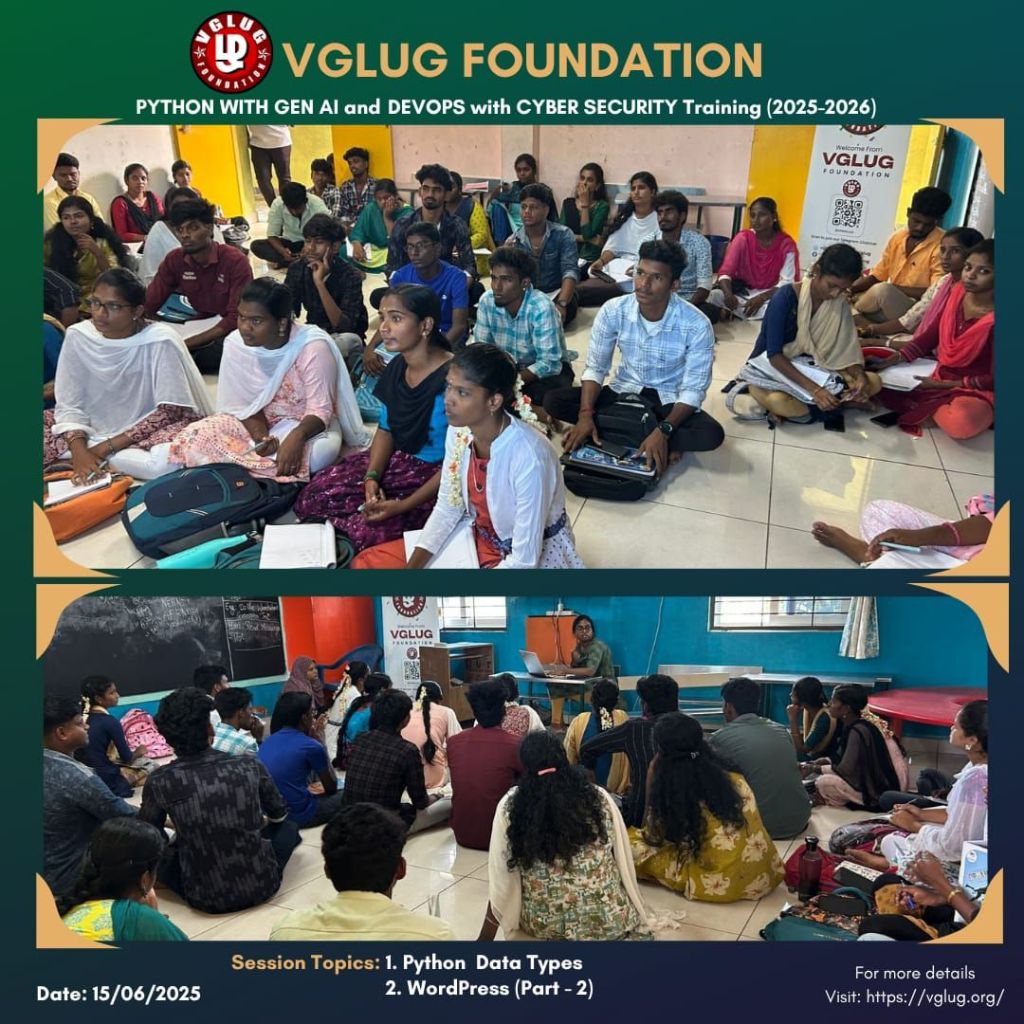
Python With GenAI Training – 3’rd Week Recap
Date: 15’th June 2025 (Sunday)
Time: 9:30 AM to 1:00 PM
Venue:
VGLUG Foundation
SRIMAA PRESCHOOL (Gov Recognized)
Landmark: Opposite to BSNL Exchange
Villupuram 605602
Minutes of the Meeting
Python With GenAI – Richard Stallman & Aron Swatz(Arts)
Session 1: Python Data Types – Deepak & Vijayalakshmi
data type defines the kind of value a variable can hold. Python is dynamically typed, so you don’t need to mention the data type when creating a variable — Python figures it out for you!
Numeric Types:
- int – Whole numbers
x = 10 - float – Decimal numbers
pi = 3.14 - complex – Numbers with a real and imaginary part
z = 2 + 3j
String (str):
A sequence of characters, enclosed in quotes
Eg :
name = “VGLUG”
Boolean (bool):
- Represents either True or False
Used in conditions and logic
is_active = True
Sequence Types:
- list – Ordered and changeable
fruits = [“apple”, “banana”, “cherry”] - tuple – Ordered but unchangeable
colors = (“red”, “green”, “blue”) - range – Sequence of numbers
range(5) gives numbers from 0 to 4
Set :
- Unordered, no duplicates allowed
unique_ids = {1, 2, 3}
Dictionary (dict)
- Key-value pairs
student = {“name”: “Kanimozhi”, “age”: 23}
# String type
org_name = “VGLUG Foundation”
# Integer type
start_year = 2013
# List type
activities = [“Workshops”, “Meetups”, “Open Source Events”, “Community Sessions”]
# Dictionary type
logo_colors = {
“primary”: “Red”,
“secondary”: “White”
}
# Boolean type
is_active = True
# Float type
volunteers_count_estimate = 150.5
# Print all values
print(“Organization:”, org_name)
print(“Started in:”, start_year)
print(“Main Activities:”, activities)
print(“Logo Colors:”, logo_colors)
print(“Is VGLUG still active?”, is_active)
print(“Estimated Volunteers:”, volunteers_count_estimate)
Session 2: WordPress Part 2- Deepak & Mathusoothanan
After introducing WordPress as a beginner-friendly platform for website creation in the previous session, this week we dove deeper into
- Customizing websites with page builders and widgets
- Managing menus, categories, and blog layout
- Using plugins for security, SEO, and contact forms
- Understanding media management and file uploads
Practice Section:
- Each participant added new pages and blog posts to their website
- Learned how to install and configure useful plugins
- Explored customizing their site’s appearance using different themes and page builders
- Improved navigation by setting up menus and links
Both sessions were attended by around 90 students. The students actively participated and successfully completed the activities given in both sessions.
DevSecOps:
Session 1: Operating System Fundamentals & Introduction to Linux
- What is an Operating System (OS) and why it matters
- Types of operating systems: Batch, Time-Sharing, Distributed, and Real-Time
- Basic functions of OS: Process management, Memory management, File systems, and Security
- Introduction to Linux – a powerful, open-source OS used widely in DevOps and cloud environments
Practice Session :
- Learned to interact with Linux terminal using basic commands (ls, cd, mkdir, etc.)
- Understood the Linux file system structure (/, /home, /etc)
- Tried hands-on navigation and simple file operations
- Gained confidence in using the command-line interface (CLI)
Session 2: WordPress part 2 –Vignesh
After introducing WordPress as a beginner-friendly platform for website creation in the previous session, this week we dove deeper intoAfter introducing WordPress as a beginner-friendly platform for website creation in the previous session, this week we dove deeper into
- Customizing websites with page builders and widgets
- Managing menus, categories, and blog layout
- Using plugins for security, SEO, and contact forms
- Understanding media management and file uploads
Practice session :
- Each participant added new pages and blog posts to their website
- Learned how to install and configure useful plugins
- Explored customizing their site’s appearance using different themes and page builders
- Improved navigation by setting up menus and links
Special thanks to the VGLUG volunteers — Vijayalakshmi, Vignesh, Kanimozhi, Deepak and Loganathan — for their dedicated support and commitment to making these training sessions successful.



 VGLUG Foundation