
VGLUG is dedicated to empowering rural college students through technology education.
As part of this initiative, we conduct weekly training sessions on Python With GenAI and DevSecOps..
Due to the large number of participants, the training is organized into six teams:
- Python & GenAI – Linus Torvalds(Team 1) & Grace Hopper(Team 2): Assigned to Engineering students
- Python & GenAI – Richard Stallman(Team 1) & Aron Swatz (Team 2): Assigned to Arts and Science students
- DevSecOps – Ada Lovelace (Arts) & Bob Thomas (Engg): Comprising both Engineering and Arts students
These sessions focus on practical knowledge of Python, GenAI, DevSecOps, free and open-source tools, and also include social awareness and community engagement activities.
Python With GenAI Training – 6’th Week Recap
Date: 13’th July 2025 (Sunday)
Time: 9:30 AM to 1:00 PM
Venue:
VGLUG Foundation
SRIMAA PRESCHOOL
Landmark: Opposite to BSNL Exchange
Villupuram 605602
Minutes of the Meeting
Python With GenAI – Richard Stallman and Aron Swatz(Arts) :
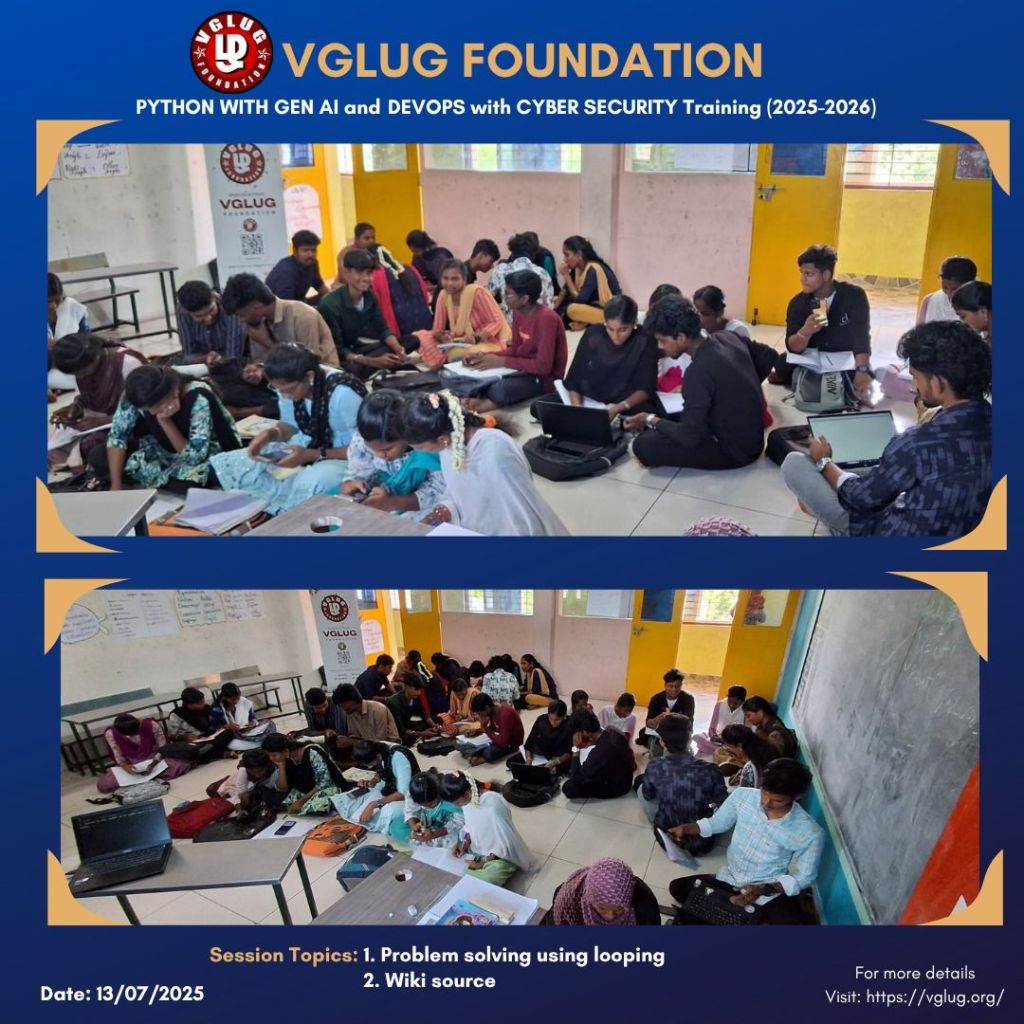
Session 1: Problem Solving Using Looping – Kowsalya & Dilip
This weekend’s VGLUG meetup focused on mastering looping concepts (for, while, and nested loops) by solving real-time problems using Python. Students were grouped into 9 teams and given 9 different logic-based tasks.
All teams successfully implemented and explained their logic. Two students confidently came forward to present their solutions to everyone, sharing how they approached the problem. They also answered questions from others, turning the session into an interactive peer-learning experience. It was a fun, hands-on day of coding, learning, and collaboration.
Session 2:
Wikisource – Kowsalya & Dilip
In the second session, students were introduced to Wikisource and guided to create their own user accounts on the platform. After account creation, the session continued with an explanation of how Wikisource works, its contribution flow, and how users can help digitize and proofread public domain books. The process of contributing Tamil literature was also demonstrated, and students got a clear understanding of how their small efforts can support open knowledge. The session created curiosity among many, and some even started exploring Tamil books on the spot.
Python With GenAI – Linux Torvalds Team & Grace Hopper Team
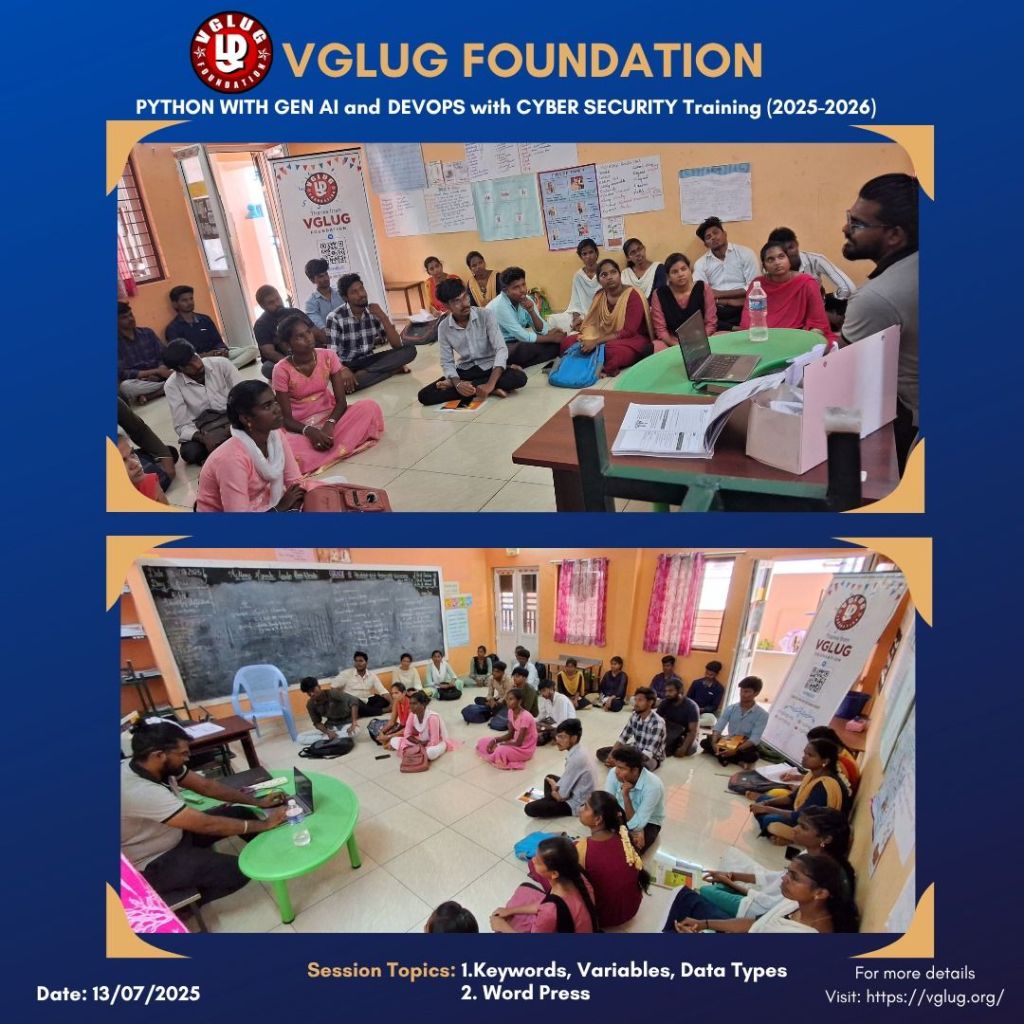
Session 1: Keywords, Variables, Data Types – Kanimozhi & Deepak
What is a Keyword?
- Keywords are reserved words in Python that have special meaning.
- They are part of the Python language syntax and cannot be used as variable names.
- Python has 35+ keywords (as of Python 3.10), including:
if,else,elif,for,while,break,continue,def,return,True,False,None,and,or,not, etc.
What is a Variable?
- A variable is a name given to a memory location to store data.
- In Python, you don’t need to declare the data type of a variable — it is automatically detected.
Example:
name = “VGLUG” # String
age = 18 # Integer
height = 5.8 # Float
is_active = True # Boolean
What is a Data Type?
- A data type defines the kind of value a variable holds.
- Python has several built-in data types.
Types of Data Types in Python:
1. Numeric Types
int– Integer numbers (10, -5)float– Decimal numbers (3.14, -2.5)complex– Complex numbers (2 + 3j)
2. Text Type
str– String (“Hello”, ‘VGLUG’)
3. Boolean Type
bool– True or False
4. Sequence Types
list– Ordered, changeable, allows duplicatesmy_list = [1, 2, 3]tuple– Ordered, unchangeable, allows duplicatesmy_tuple = (1, 2, 3)range– Sequence of numbersrange(5)gives 0 to 4
5. Set Types
set– Unordered, no duplicatesmy_set = {1, 2, 3}
6. Mapping Type
dict– Key-value pairsmy_dict = {"name": "VGLUG", "age": 18}
7. None Type
None– Represents no value or emptyx = None
Session 2: WordPress – Vasanth
What is WordPress?
- WordPress is a free and open-source Content Management System (CMS) used to build and manage websites without needing to write code.
- It was originally created for blogging but has grown into a platform for building all kinds of websites — blogs, e-commerce sites, portfolios, company websites, and more.
Why Learn WordPress?
- No coding knowledge required to build powerful websites
- Used by freelancers, NGOs, startups, and even governments
- Great for portfolio projects and community websites
- Perfect for non-technical students to contribute to open web
Popular Plugins You Should Know:
| Plugin | Use |
|---|---|
| Elementor | Drag-and-drop page builder |
| Yoast SEO | Search engine optimization |
| Contact Form 7 | Create contact forms |
| WooCommerce | E-commerce (online store) |
| WPForms | Beginner-friendly form builder |
| UpdraftPlus | Backup and restore website data |
DevSecOps: Ada Lovelace Team
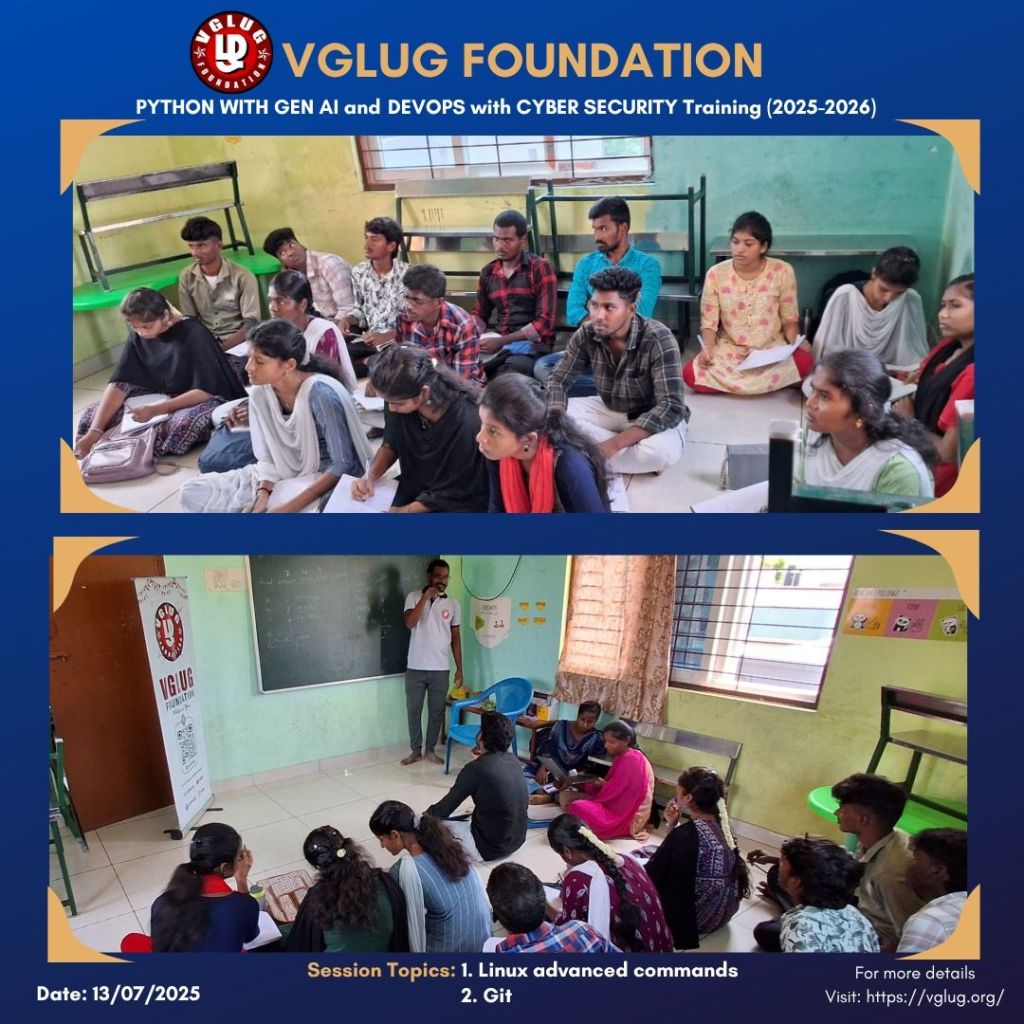
Session 1:Linux Advanced Commands – Vignesh
After learning basic Linux commands (like ls, cd, mkdir, rm, etc.), it’s important to explore more advanced Linux commands that help in managing processes, files, permissions, users, and networks. These are commonly used by developers, system admins, DevOps engineers, and power users.
Example commands:
File Permissions & Ownership
ls -l
chmod +x script.sh
chmod 755 file.txt
sudo chown user:group file.txt
Process Management
ps aux
top
kill -9
nice -n 10 command
renice -n 5
Archive & Compression
tar -cvf archive.tar folder/
tar -xvf archive.tar
gzip file.txt
gunzip file.txt.gz
Disk Usage & Space
df -h
du -sh folder/
Networking Commands
ip a
ping google.com
netstat -tuln
Package Management (Debian/Ubuntu)
sudo apt update
sudo apt upgrade
sudo apt install package-name
sudo apt remove package-name
File Searching
find / -name “*.pdf”
find . -mtime -1
grep “search_text” *.txt
User Management
sudo adduser username
sudo deluser username
su – username
Combine Commands
mkdir test && cd test
command1 || echo “Failed”
cd folder; ls; pwd
Bonus
history
alias ll=’ls -la’
crontab -e
man grep
Session 2: Git – Vijayalakshmi
What is Git?
🔹 Git is a version control system.
🔹 It helps developers track changes in their code and collaborate with others.
🔹 Git was created by Linus Torvalds (creator of Linux) in 2005.
Why Use Git?
| Problem Without Git | Solution With Git |
|---|---|
| Accidentally deleting code | Git lets you go back to old version |
| Team members overwrite changes | Git lets everyone work together safely |
| Confusion over file versions | Git tracks every change and update |
Basic Git Commands:
| Command | Meaning |
|---|---|
git init | Start a new Git project |
git status | Check the current state |
git add filename | Stage file changes |
git commit -m "message" | Save the changes with a message |
git log | View previous commits |
git clone URL | Copy a remote project to local |
git push | Upload your changes |
git pull | Download latest changes from others |
Git Workflow (Simple Steps)
git init → Start a project
git add → Stage the changes
git commit → Save the changes
git push → Send to GitHub or GitLab
DevSecOps: Bob Thomas Team
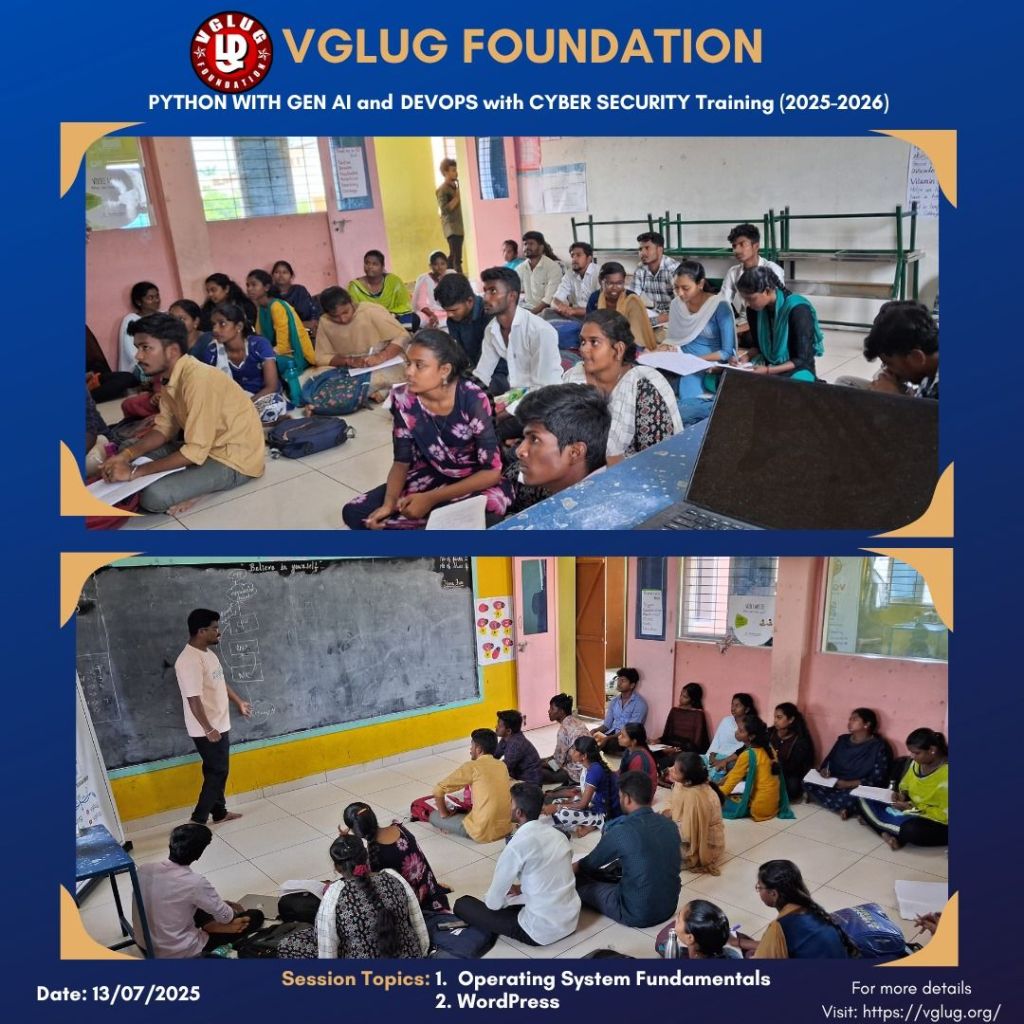
Session 1:Operating System Fundamentals- Loganathan
What is an Operating System?
An Operating System (OS) is a system software that acts as an interface between the user and the computer hardware. It manages all the hardware, software, memory, processes, and input/output operations. Without an OS, a user cannot interact with the computer system.
Common examples: Windows, Linux, macOS, Android, iOS
Main Functions of an Operating System:
- Process Management
- Manages processes (running programs), including scheduling, creation, termination, and resource allocation.
- Memory Management
- Handles and allocates RAM to applications efficiently.
- File System Management
- Organizes data into files and directories and manages file access and permissions.
- Device Management
- Controls and coordinates the use of hardware devices (like keyboard, mouse, printer).
- User Interface
- Provides GUI (Graphical) or CLI (Command Line) for user interaction.
- Security and Access Control
- Protects system resources and manages user authentication and permissions.
- I/O System Management
- Manages input/output devices and handles data transfer between them and applications.
Types of User Interfaces:
- CLI (Command Line Interface): User interacts via text commands (e.g., Linux terminal)
- GUI (Graphical User Interface): User interacts via icons and windows (e.g., Windows, macOS)
Why Learn OS Fundamentals?
- Helps understand how software interacts with hardware
- Crucial for programming, system administration, and cybersecurity
- Forms the base for advanced topics like processes, scheduling, memory management, and OS internals
Examples of Operating Systems:
- Windows – User-friendly GUI, widely used on desktops.
- Linux – Open-source, powerful for programming and servers.
- macOS – Apple’s desktop OS, secure and smooth.
- Android – Most-used mobile OS, built on Linux kernel.
- iOS – Apple’s mobile OS, known for performance and security.
Session 2: WordPress- Mathusoothanan
What is WordPress?
- WordPress is a free and open-source Content Management System (CMS) used to build and manage websites without needing to write code.
- It was originally created for blogging but has grown into a platform for building all kinds of websites — blogs, e-commerce sites, portfolios, company websites, and more.
Why Learn WordPress?
- No coding knowledge required to build powerful websites
- Used by freelancers, NGOs, startups, and even governments
- Great for portfolio projects and community websites
- Perfect for non-technical students to contribute to open web
Popular Plugins You Should Know:
| Plugin | Use |
|---|---|
| Elementor | Drag-and-drop page builder |
| Yoast SEO | Search engine optimization |
| Contact Form 7 | Create contact forms |
| WooCommerce | E-commerce (online store) |
| WPForms | Beginner-friendly form builder |
| UpdraftPlus | Backup and restore website data |
Special thanks to the VGLUG volunteers —Vasanth, Kowsalya, Dilip, Loganathan, Deepak,Vignesh ,Mathusoothanan and Kanimozhi — for their dedicated support and commitment to making these training sessions successful.



 VGLUG Foundation