VGLUG is dedicated to empowering rural college students through technology education.
As part of this initiative, we conduct weekly training sessions on Python With AgenticAI.
- Python & AgenticAI – Arts(Team 1) & Arts(Team 2) & Arts (Team 3)
- Python & AgenticAI – Engg(Team 1) & Engg(Team 2) & Engg(Team 3)
These sessions focus on practical knowledge of Python, AgenticAI, free and open-source tools, and also include social awareness and community engagement activities.
Python With AgenticAI Training Session – 9’th Week Recap
Session Taken : Kowsalya, Dilip, Deepak, Kathirvel, Murugan
Session 1: – Software Freedom Day-2026
Date: 27-09-2026 (Sunday)
Time: 9:30 AM to 1:00 PM
Minutes of the Meeting
Python With AgenticAI – (Arts Team1,Team2, Team3) & (Engg Team1,Team2, Team3)
Session 1: Software Freedom Day:
Date: 27 September 2026
Time: 9:30 AM – 1:00 PM
Venue: VGLUG Foundation, Srimaa Preschool, Villupuram, Tamil Nadu
Introduction
Software Freedom Day (SFD) is an opportunity to celebrate Free and Open Source Software (FOSS), promote digital freedom, and encourage people to explore software that can be used, studied, modified, and shared. It helps students and communities understand the importance of software freedom, collaboration, and open knowledge.
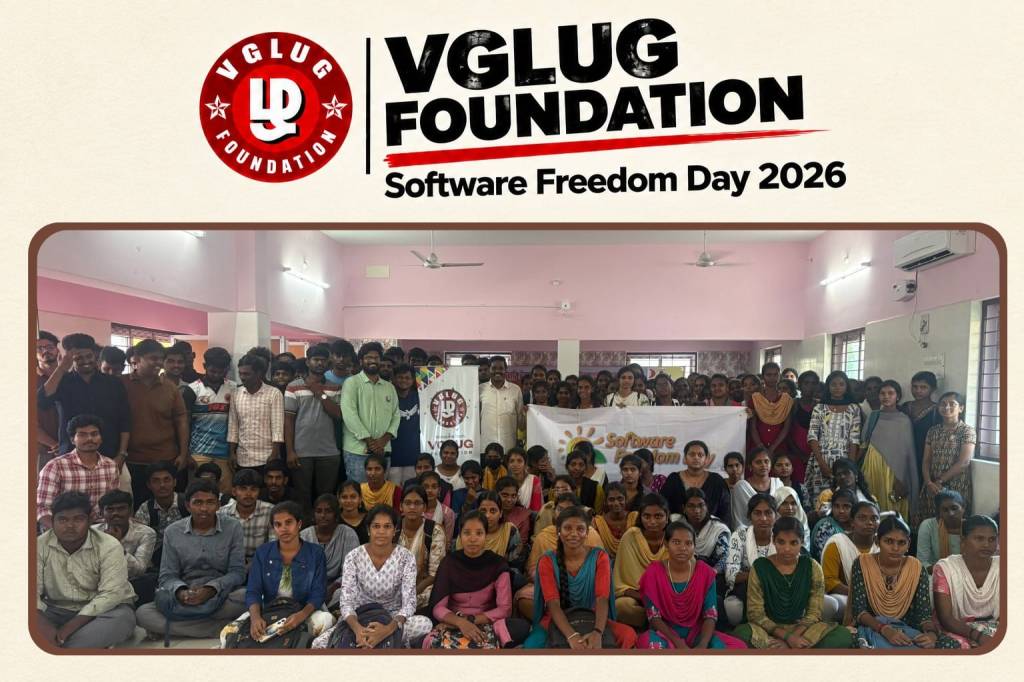
VGLUG Foundation celebrated Software Freedom Day 2026 on 27 September 2026 at its venue in Villupuram, Tamil Nadu, bringing together students, volunteers, and FOSS enthusiasts to explore the world of free and open-source technologies.
The event aimed to introduce students to the possibilities of Free and Open Source Software and encourage them to learn, experiment, and contribute to open-source communities.
Topics covered at Software Freedom Day (SFD) 2026 – VGLUG Foundation
- Stellarium – Exploring the Universe
- Operating Systems and Networking
- Fake News Awareness
- GIMP – Graphic Design and Image Editing
- Scratch – Visual Programming and Game Development
- LibreOffice – Free and Open-Source Office Suite
1. Stellarium – Exploring the Universe
Stellarium is a free and open-source planetarium software that allows users to explore the night sky on a computer. Participants were introduced to how Stellarium can be used to observe stars, constellations, planets, and other celestial objects. The session demonstrated how open-source software can make astronomy more accessible and engaging for students.
2. Operating Systems and Networking
This session introduced participants to the fundamentals of operating systems and computer networking. Students explored the role of operating systems in managing computer resources and learned about the basic concepts that help computers communicate with one another. The session also highlighted the importance of Linux and open-source technologies in understanding how computers work.
3. Fake News Awareness – Think Before You Share
In the digital world, information spreads rapidly through social media and messaging platforms. The fake news awareness session focused on the importance of identifying misinformation and verifying information before sharing it. Participants were encouraged to check the original source, compare information with reliable sources, examine dates and context, and avoid forwarding unverified claims.
Digital literacy is not just about using technology; it is also about using it responsibly.
4. GIMP – Creative Graphic Design with Open Source
GIMP (GNU Image Manipulation Program) is a free and open-source image editing tool. The session introduced participants to the possibilities of graphic design and image editing using open-source software. Students explored how tools such as GIMP can support creative projects, digital artwork, image enhancement, and visual communication without requiring expensive proprietary software.
5. Scratch – Learning Programming Creatively
Scratch is a visual programming platform that helps beginners learn programming concepts by connecting code blocks. The session introduced students to the basics of programming through creative and interactive activities. Scratch enables learners to develop stories, animations, and games while understanding concepts such as sequences, loops, conditions, and events.
6. LibreOffice – Free and Open-Source Office Suite
LibreOffice is a free and open-source office productivity suite that helps users create documents, spreadsheets, presentations, and more. It is a powerful alternative to proprietary office software and can be used by students, teachers, professionals, and organizations without purchasing a software license.
The session introduced participants to the different applications available in LibreOffice:
- Writer: Create and edit documents, letters, reports, and assignments.
- Calc: Organize data, perform calculations, and create spreadsheets and charts.
- Impress: Create presentations for seminars, projects, and classroom activities.
- Draw: Create diagrams, flowcharts, and other visual materials.
- Base: Work with databases and manage structured information.
- Math: Create and edit mathematical formulas and equations.
Learning, Sharing, and Software Freedom
The sessions demonstrated that FOSS extends beyond software development. It supports learning across different fields, from astronomy and networking to graphic design and programming.
By exploring tools such as Stellarium, GIMP, and Scratch, participants could discover new interests and creative possibilities. The operating systems and networking session introduced essential technical concepts, while fake news awareness emphasized responsible participation in the digital world.
These activities reflected the values of software freedom: access to knowledge, opportunities to learn, freedom to experiment, and the ability to share what we discover with others.
The Role of VGLUG Foundation
VGLUG Foundation works to promote Free and Open Source Software, digital literacy, and collaborative learning through community initiatives and student engagement.
Through events such as Software Freedom Day, VGLUG encourages students to explore open technologies, develop practical skills, exchange ideas, and become active contributors to the FOSS community.
Special thanks to Kowsalya, Dilip, Deepak, and Murugan for their valuable support and contributions in making the Software Freedom Day (SFD) 2026 event a success.